
How do I mark a graft that didn't take?
Tap the graft on the tree's page, choose Failed and tap Save. The graft is still recorded on the tree, greyed out and listed last, with its photos still linked, which keeps the history of what you tried.
Mark it failed
- Open the tree. In the Grafts row, tap the graft that didn’t take. The Edit Graft sheet opens.
- Below the date, switch the status from Active to Failed.
- Tap Save.
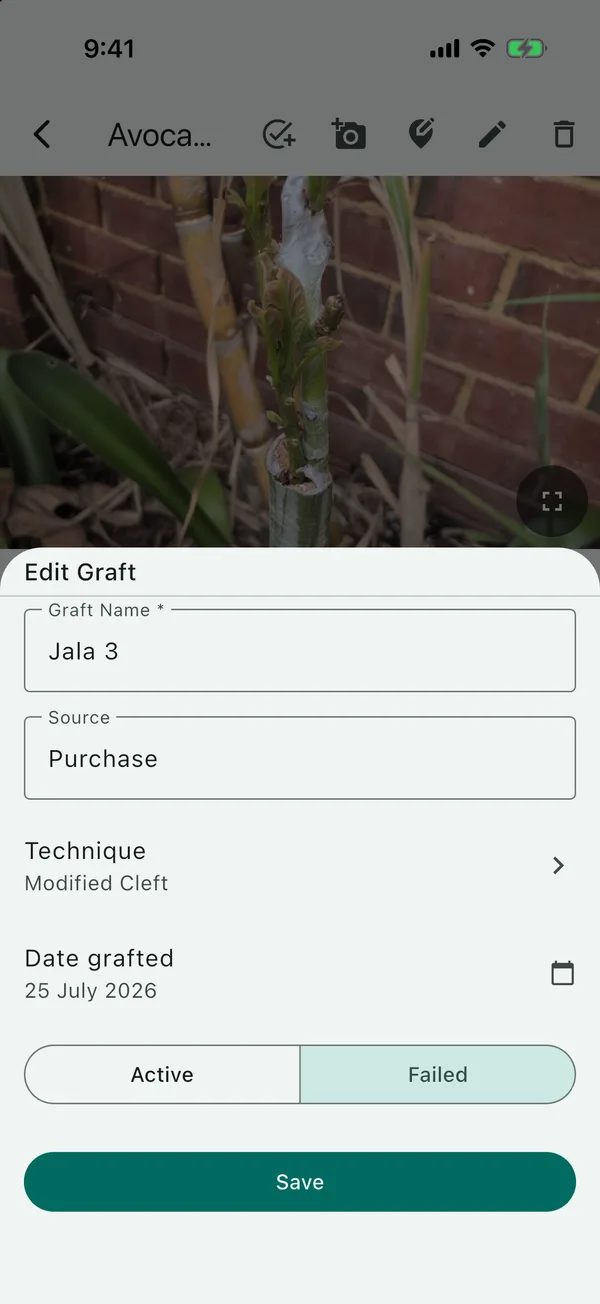
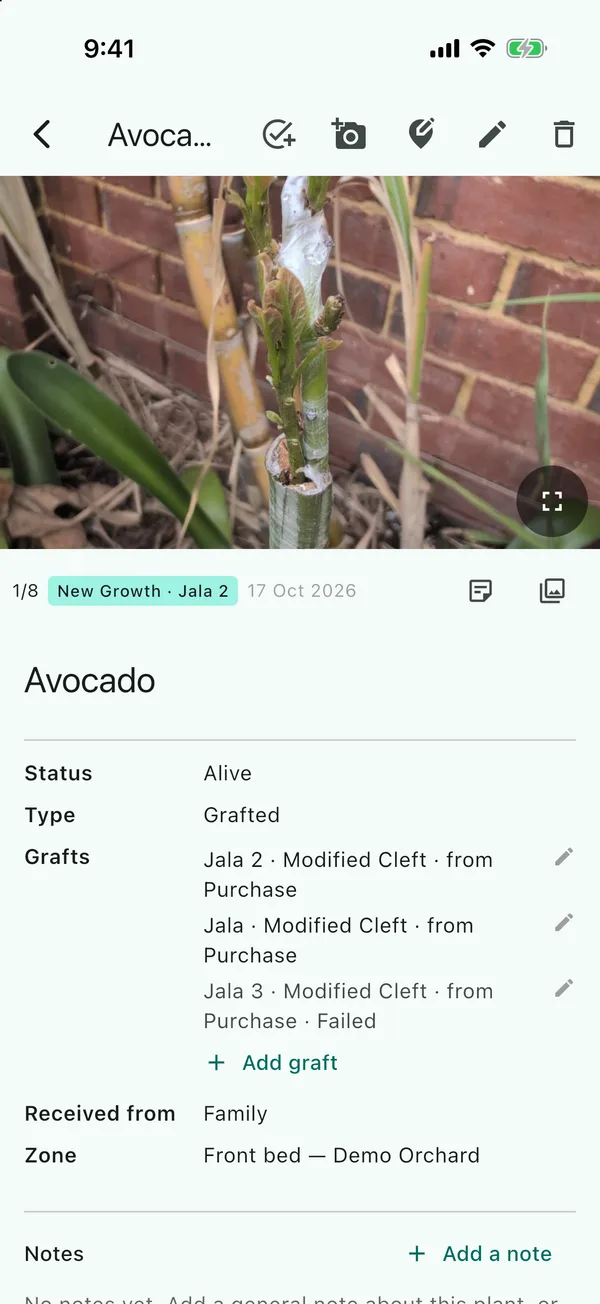
The graft now shows greyed out at the bottom of the Grafts row, with Failed at the end of
its line. Its photos are still linked to it. If it turns out to have taken after all (a bud can sit
dormant for weeks), open it again and choose Active.
New grafts always start as Active; the Active and Failed choice appears when you open an existing graft. There’s no “waiting to see” status. Leave a graft Active until you know. Photos are the best evidence in the meantime: a New Growth photo linked to the graft records the day the scion pushed its first leaves.
Grafting the same variety again
If you graft the same variety more than once, add each attempt as a separate graft with its own date, and mark any that don’t take as Failed. The failed ones are greyed out and listed below the live ones in the Grafts row, and each attempt keeps its own photos. Next season you can look back and see which month worked.
I grafted Jala onto a seedling avocado three times in 2026 (4 May, 13 June and 25 July), as I thought some of them might fail, and I did them at different times of the year to see if one time was more successful than the others. The third one never shot and went brown. I think it was possibly a technique problem rather than the timing, and I’d also used the wrong bit of scion, from a thicker section with fewer buds. In TreeSmith, Jala 3 is marked Failed and the other two are still Active.
Failed, or removed?
| Mark Failed | Remove graft | |
|---|---|---|
| Where | Edit Graft sheet | Edit the tree, then the bin icon next to the graft |
| The graft record | Kept, greyed out | Deleted |
| Its photos | Still linked to it | Kept on the tree, but no longer linked to any graft |
| Can you undo it? | Yes, choose Active | No |
Use Remove graft only for a graft entered by mistake. TreeSmith won’t ask you to confirm, but it only takes effect when you tap Save on the form. If you back out of the form without saving, it’s undone (along with anything else you changed in the form).
When the whole tree dies
A graft’s status is about that graft alone. If the tree itself dies, edit the tree and set its Status to Dead, or Removed if you’ve dug it out. Its grafts keep the status they had, so the record still shows which varieties were growing on it.
Updated . Something here doesn't match what you see in the app? Tell me and I'll fix the guide.