
How do I add a tree from a photo I've already taken?
Tap +, choose Choose from my photos and pick the photo. The new tree takes the photo's date and the place it was taken, and if that place is a long way from your other trees, TreeSmith will ask you before using it for the tree's pin.
This is for adding trees from photos already on your phone, such as ones you took before you had TreeSmith. You pick one photo per tree, and you can add more photos to the tree afterwards (see adding photos to a tree).
Add the tree
-
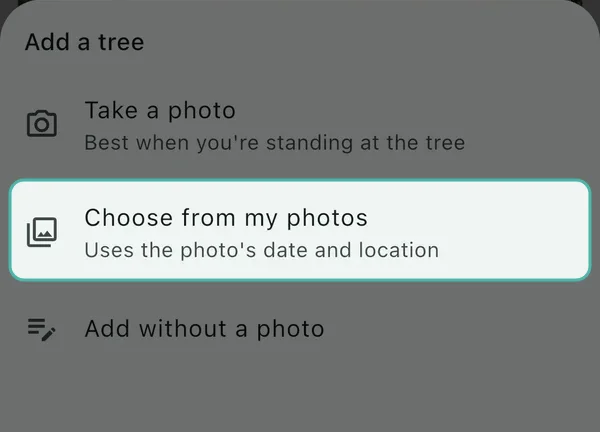
Tap + and choose Choose from my photos (how to add a tree covers the other two ways in).
-
Pick the photo. The Add Plant form opens with the photo at the top and a line under it saying when and where it was taken, for example
Taken 2 Apr 2026 · Location from this photo. -
If the photo has a date, a button underneath offers
Got it around then? Set date acquired to 2 Apr 2026. Tap it if the photo was taken around when you got the tree, or ignore it if it wasn’t. When I add trees from old photos, it’s always surprising how much time has passed, as I often underestimate how many years it’s been. -
Type the Common Name and anything else you know, then tap Save.
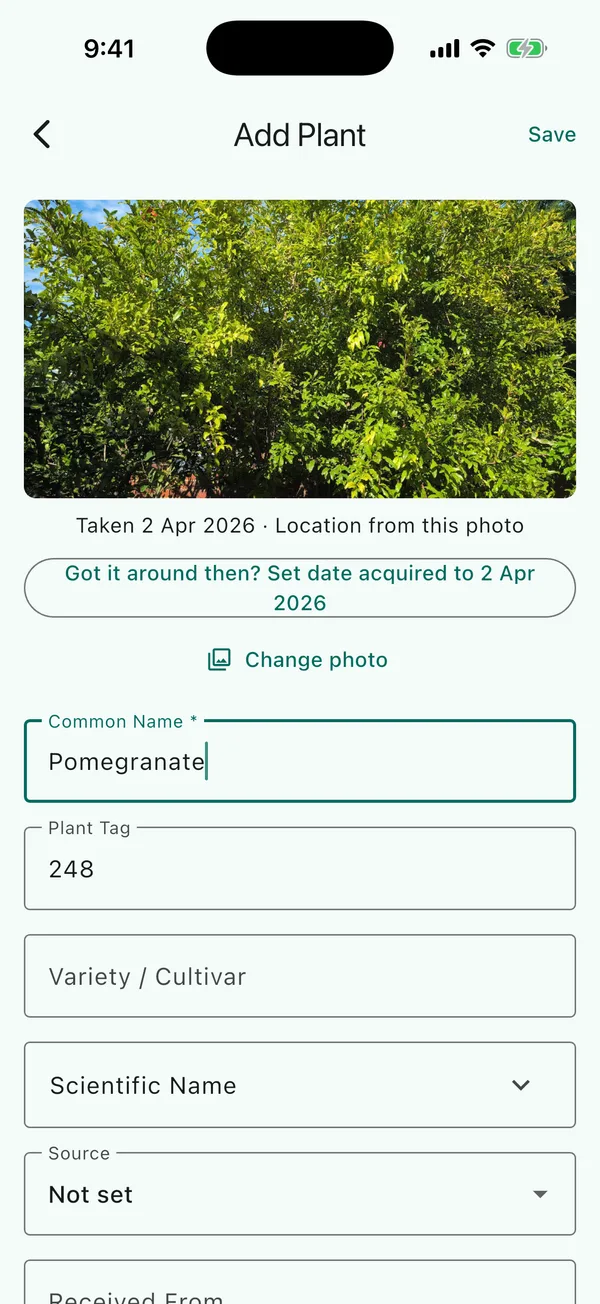
To pick a different photo, tap Change photo.
When the photo was taken somewhere else
TreeSmith measures from the photo to the nearest tree with a pin at the same location. If that’s more than 250 m, TreeSmith will show Use this photo’s location? when you save:
- If you tap Skip the location, the tree is saved with no location pin. If Set map position after adding is on in App Preferences, the map opens next, where you can place the pin by hand or tap Cancel to leave the tree off the map.
- If you tap Use it for the pin, the tree is saved where the photo was taken and the map opens, where you can check the pin and move it if it’s wrong.
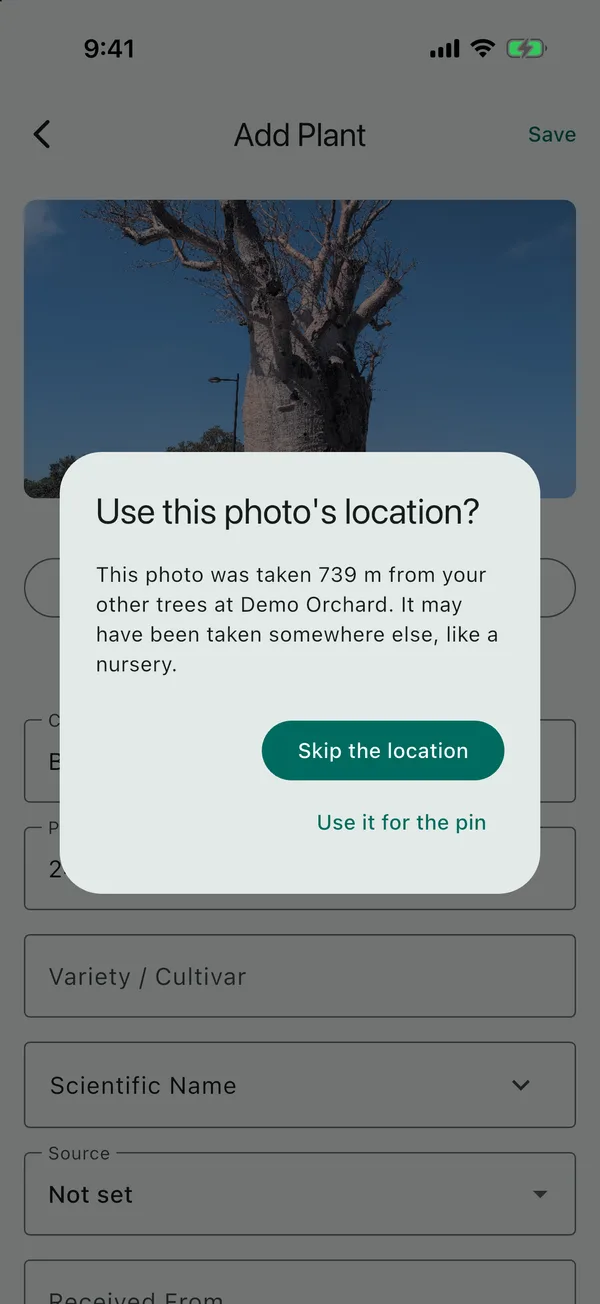
If the location has no trees with pins yet, TreeSmith uses the photo’s location straight away, as there’s nothing to measure against.
To add a tree at a different location, switch to that location first by tapping its name at the top of the Plants tab, and the photo will be measured against the trees there instead. See locations and zones.
How accurate is a photo’s location?
If a tree’s pin came from a photo, a later photo you take at the tree with Take a photo can move the pin to a more accurate spot nearby. A photo taken a long way from the pin won’t move it, as it may have been taken somewhere else, like the label in your shed. Adding a photo from your library won’t move the pin. If you placed the pin yourself, a new photo won’t change it.
Updated . Something here doesn't match what you see in the app? Tell me and I'll fix the guide.