
How do I add photos to a tree?
On the tree's page, tap Add photo, then Take a photo or Choose from my photos. You can pick up to 10 photos at once. Each photo records the date it was taken.
Photos are sorted by the date they were taken, not the date you added them, as they’re how you see a tree change over the seasons. If you add a photo from last spring today, it goes in with last spring’s photos.
Add photos
- Open the tree and tap Add photo at the top (which icon is that?).
- Choose Take a photo to use the camera, or Choose from my photos to pick up to 10 from your phone.
- For photos from your phone, a sheet opens titled, for example,
Add 4 photos to Mulberry, with each photo’s date. If a photo has no date, it shows No date, using today and a Change button. - Tap
Category: Generalto choose what the photos show, such as flowering or fruiting. On a grafted tree you can also pick which graft they show. - Tap
Add 4 photos(or Add photo for one).
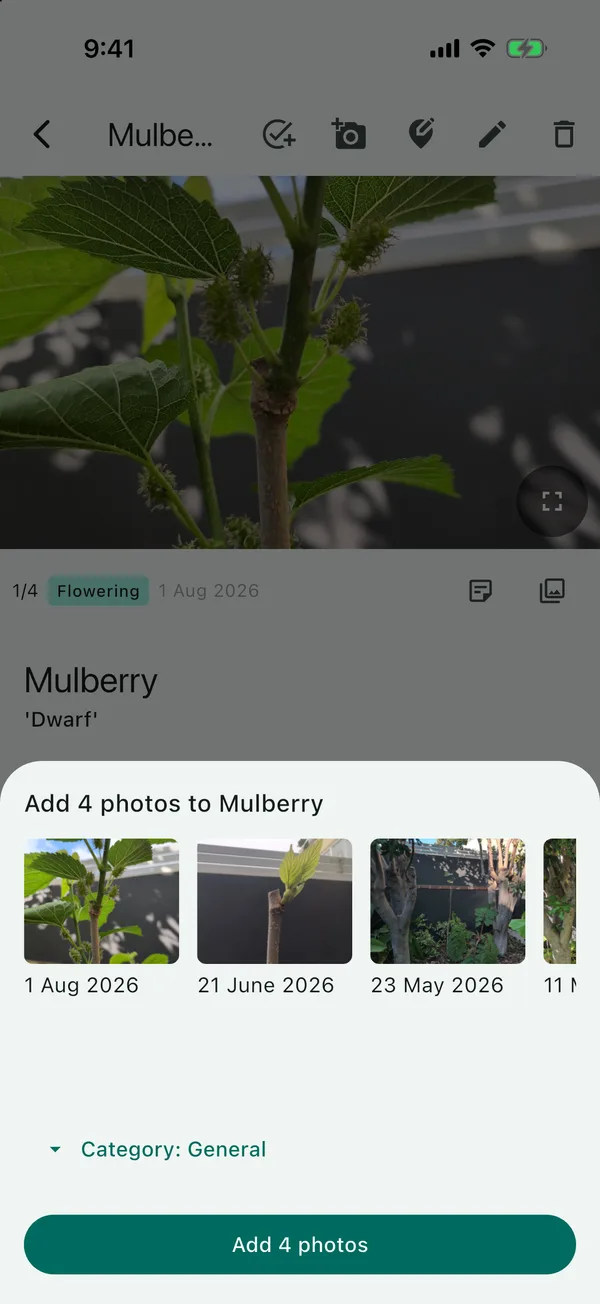
The category applies to every photo in the pick. If you’ve got some flowering photos and some fruiting ones, add them in two goes. You can also change a photo’s category afterwards from its full-size view. Add a note (optional) only appears when you’re adding one photo.
For photos of one graft, and the categories in more detail, see recording when a graft flowers or fruits.
Photos that are already on the tree
If you pick a photo you’ve already added from your phone, TreeSmith remembers it and won’t add it again. If you pick a mix of old and new photos, the new ones are added and you’ll see how many were skipped. If you’ve edited or cropped a photo, or it has no date, it counts as a new photo and will be added a second time.
Setting a display photo
The photo on the tree’s page and in your list of trees is the newest one, unless you set a different one.
- On the tree’s page, tap View gallery and then the photo you want.
- Tap the menu at the top right and choose Set as display photo.
The photo is marked Display photo in the gallery. To go back to the newest photo, open it again and choose Use the newest photo instead.
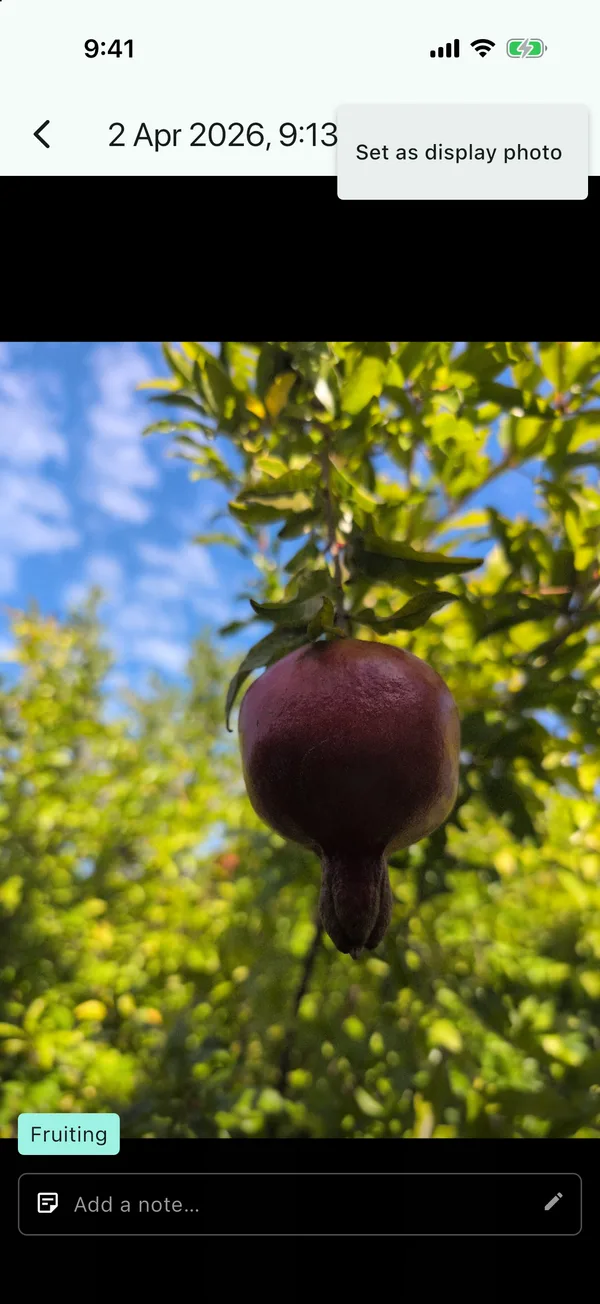
I usually pick a nice fruiting or flowering photo, as it looks better in my list of trees.
Updated . Something here doesn't match what you see in the app? Tell me and I'll fix the guide.